SERVICES

SaaS/B2B Product Design

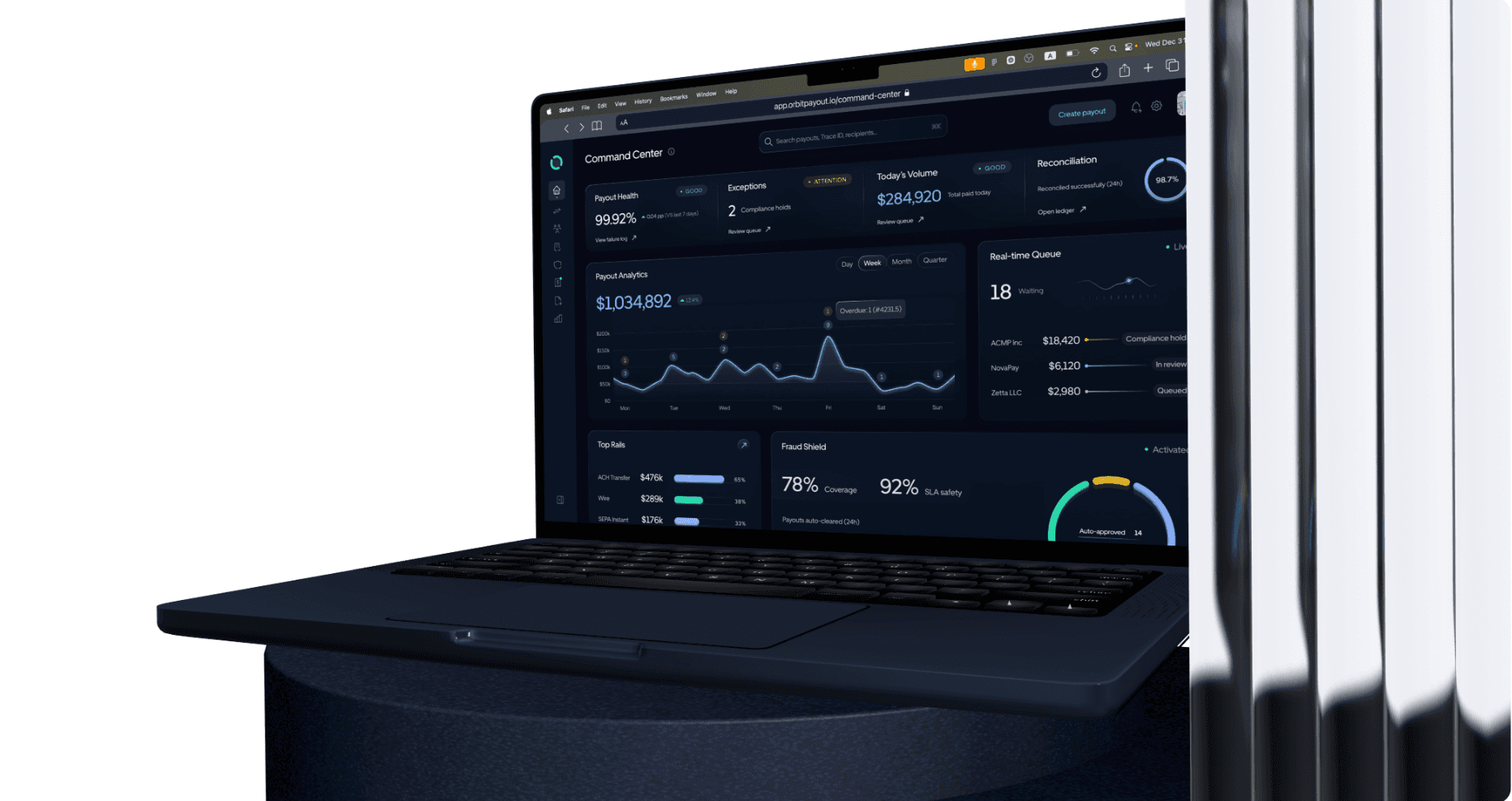
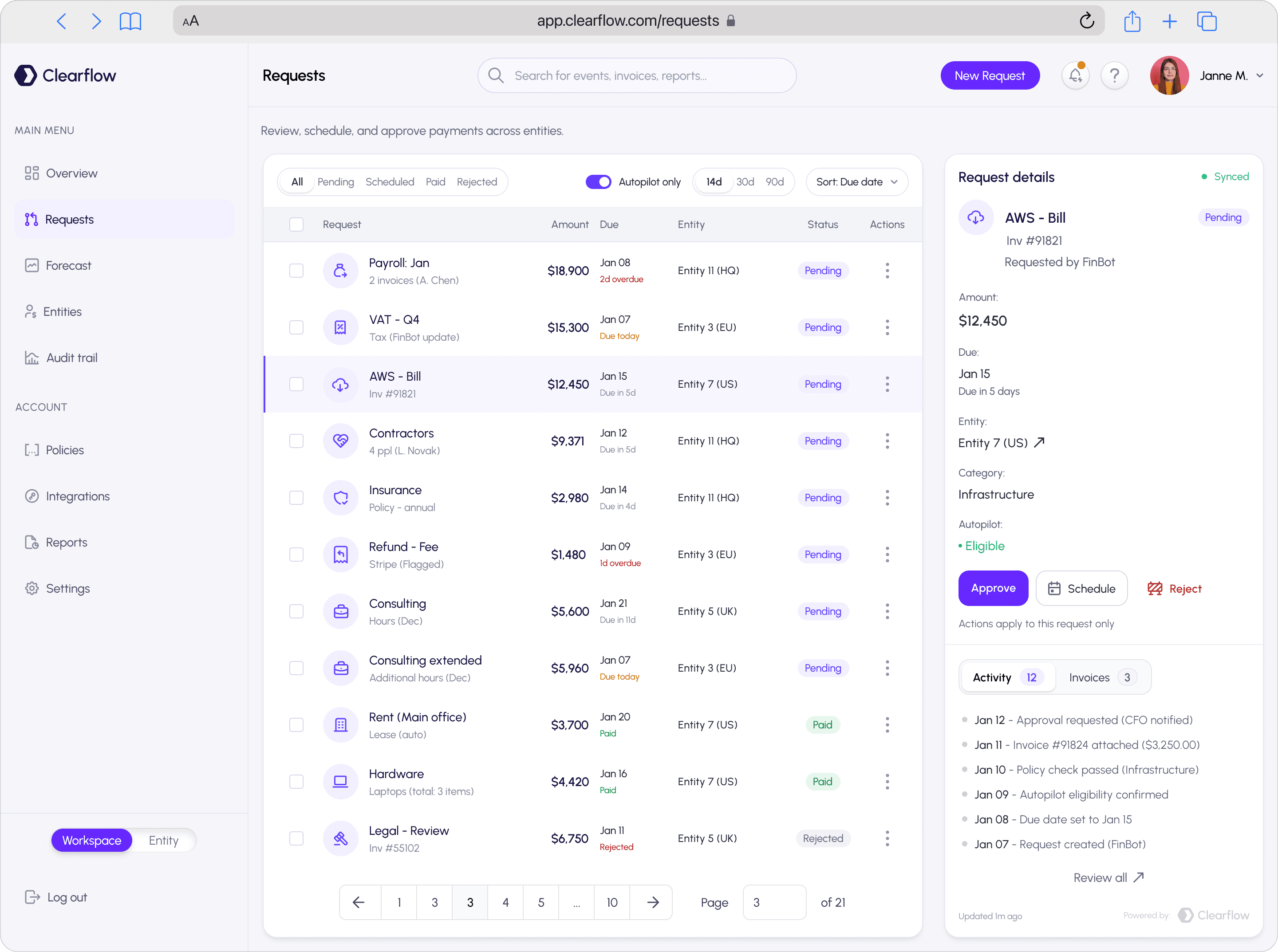
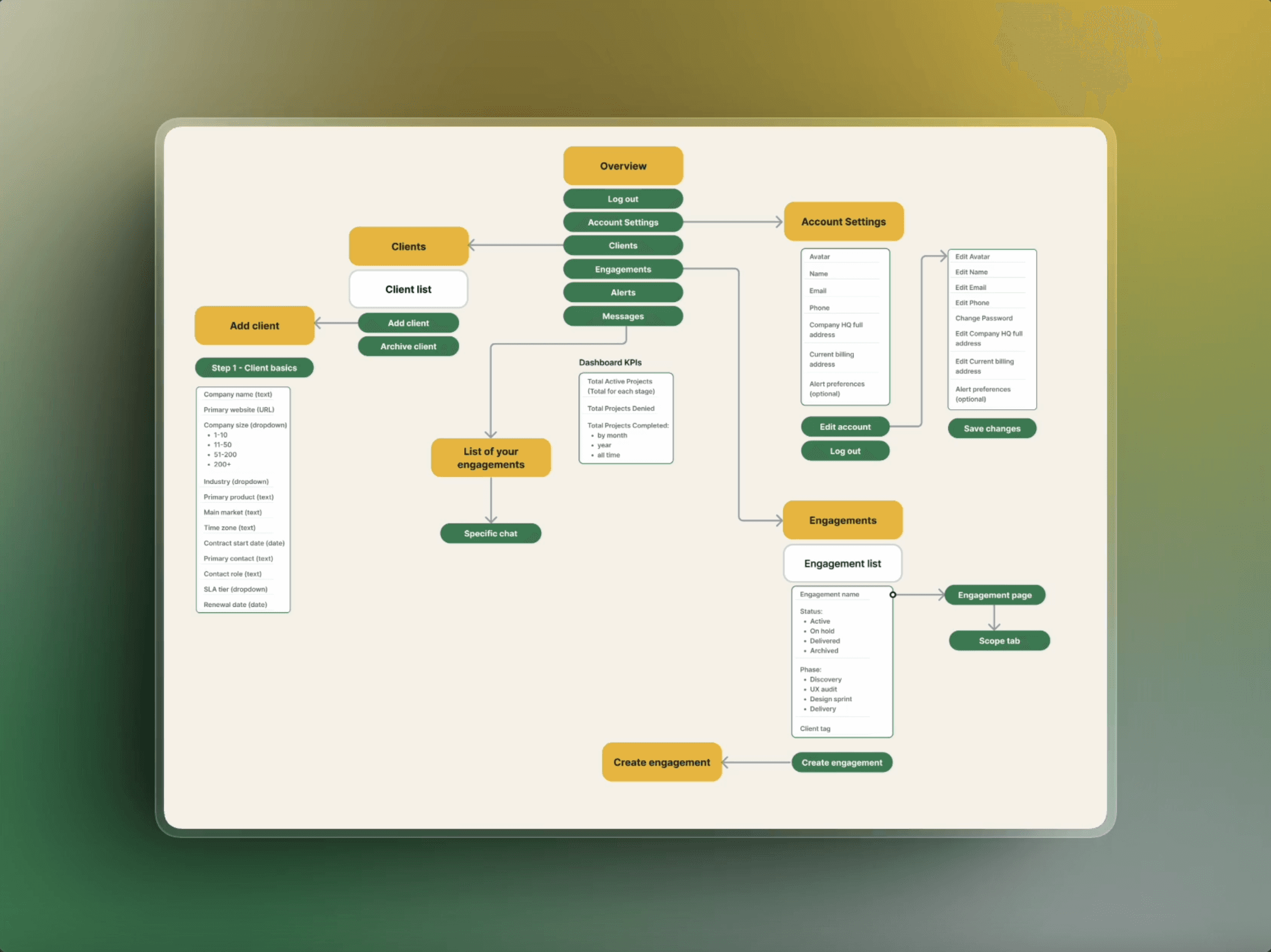
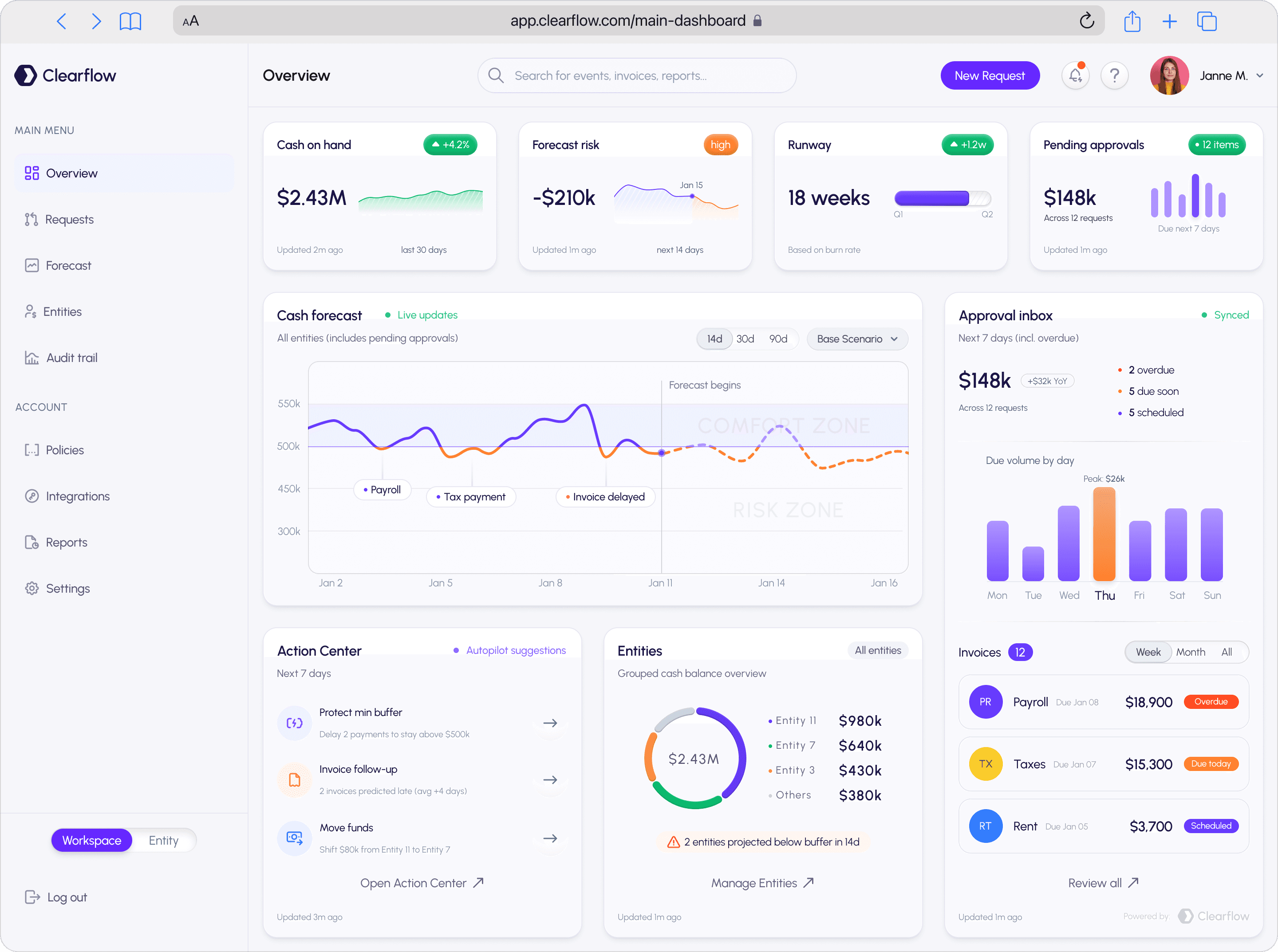
Dashboards, onboarding flows, role-based interfaces, data-heavy screens — we design and redesign product UIs that stay clear under complexity and hold up as the product grows.

Best for:

teams ready to level-up their products

Starting at:

$20k–$90k

Typical timeline:

6–12+ weeks

Next availability:

March

Who is it for


Different starting points. Same need: a product design that doesn't fight the user.

You're building from scratch


The idea is solid, the roadmap exists, but there's no real design yet — or what exists is a rough prototype that needs proper structure before dev touches it.

You have a product, but it needs a reskin


The flows are fine. The logic works. But visually, it's dated, inconsistent, or just doesn't feel like the company you've become.

You need a UI overhaul without rearchitecting everything.

Users are struggling, and you know it


Support tickets, drop-off at key steps, and onboarding that leaks. The product evolved fast, and the UX didn't keep up. Things work in isolation but fall apart as a whole.

The product outgrew itself


What was built for 10 features now has 60. Roles, permissions, edge cases, and modules added on top of modules. It needs a real rethink — IA, system, hierarchy.


What we do

UX architecture and flow design


Before any visual decisions, we map how users move through the product — roles, states, decision points, edge cases. We define what "good" looks like for each flow and what has to be true for a user to get there without friction.

This is the work that determines whether a product feels intuitive or exhausting. Most redesigns skip it. We don't.

Visual redesign and UI polish


If the structure is sound but the product looks rough, dated, or inconsistent, we redesign the visual layer. Typography, spacing, colour, component treatment, interaction patterns. The kind of polish that signals quality before a user reads a word.

Design system and component architecture


We build or rebuild the component library — variants, states, tokens, patterns. So the next feature your team ships doesn't break the visual logic of the last ten. And so new designers or developers can contribute without guessing.

Full product redesign


When the product needs more than fixes. We reset the information architecture, rebuild role-based flows from scratch, and design a system that can carry the product for the next stage of growth — not just the current one.

MVP for new products


Idea to first usable version. Core flows, wireframes, UI foundation, and clickable prototype. Designed to validate fast and hand off to engineering without ambiguity.


Core capabilities


UX Architecture


  • User flows and task analysis

  • Information architecture

  • Role and permission mapping

  • States, edge cases, empty states, error handling

  • Onboarding and activation logic

  • Navigation structure and wayfinding

  • Multi-step and branching flows


UI Design and Visual Systems


  • Visual direction and moodboarding

  • Design language — type, colour, spacing, grid

  • Component library — variants, states, interactive behaviours

  • Tokens (type scale, spacing scale, colour roles, layout rules)

  • Scalable patterns for data tables, dashboards, settings, billing, and admin

  • Responsive and adaptive layouts

  • Motion and interaction design


Discovery and Research


  • Stakeholder alignment and constraint mapping

  • User interviews and problem framing

  • Competitive and pattern analysis

  • UX audit — heuristics, friction points, conversion leaks

  • Assumption mapping and risk identification

  • Prioritised backlog and execution roadmap


Prototyping and Validation


  • Clickable prototypes for key flows

  • Lightweight usability testing mid-cycle

  • Prototype-led stakeholder alignment

  • Iterative validation before full build


Engineering Handoff


  • Dev-ready Figma — clean structure, named components, proper auto-layout

  • Specs and annotation for every interaction state

  • Behaviour and logic notes for complex components

  • QA support during implementation

  • Design token handoff for engineering systems


Our process

01. Align


We start by understanding what the product is, who uses it, what's broken, and what success looks like. Goals, users, roles, constraints, and the specific outcomes this engagement needs to produce. Everything that follows is checked against this.


Output: project brief, page or flow list, success criteria, and agreed scope.

02. Map


Flows, states, information architecture, edge cases. We define the logic of the product before designing its look. For redesigns, this is where we find the real problems — not the symptoms. For new products, this is where we define what actually needs to exist for V1.


Output: user flows, IA map, state diagrams, prioritised flow list.

03. Systemise


Visual direction, component structure, design tokens. We establish the rules — type, spacing, colour, interaction patterns — before building individual screens. This is what separates a designed product from a collection of designed pages.


Output: visual direction, component library foundation, design tokens, pattern decisions.

04. Build


Highest-impact flows and modules first. We design in cycles — you see progress early, give feedback on real screens, and nothing waits until the end. Each cycle produces something reviewable and actionable.


Output: designed flows and screens, updated components, annotated specs per cycle.

05. Validate and Handoff


Prototype for key flows, usability checks where they change decisions, and final QA against the design system. Then handoff: dev-ready Figma, full specs, interaction notes, and support through implementation.


Output: prototype, QA notes, dev-ready Figma, implementation support.


Our approach vs. a typical agency build

Who is it for


Different starting points. Same need: a product design that doesn't fight the user.

You're building from scratch


The idea is solid, the roadmap exists, but there's no real design yet — or what exists is a rough prototype that needs proper structure before dev touches it.

You have a product, but it needs a reskin


The flows are fine. The logic works. But visually, it's dated, inconsistent, or just doesn't feel like the company you've become.

You need a UI overhaul without rearchitecting everything.

Users are struggling, and you know it


Support tickets, drop-off at key steps, and onboarding that leaks. The product evolved fast, and the UX didn't keep up. Things work in isolation but fall apart as a whole.

The product outgrew itself


What was built for 10 features now has 60. Roles, permissions, edge cases, and modules added on top of modules. It needs a real rethink — IA, system, hierarchy.


What we do

UX architecture and flow design


Before any visual decisions, we map how users move through the product — roles, states, decision points, edge cases. We define what "good" looks like for each flow and what has to be true for a user to get there without friction.

This is the work that determines whether a product feels intuitive or exhausting. Most redesigns skip it. We don't.

Visual redesign and UI polish


If the structure is sound but the product looks rough, dated, or inconsistent, we redesign the visual layer. Typography, spacing, colour, component treatment, interaction patterns. The kind of polish that signals quality before a user reads a word.

Design system and component architecture


We build or rebuild the component library — variants, states, tokens, patterns. So the next feature your team ships doesn't break the visual logic of the last ten. And so new designers or developers can contribute without guessing.

Full product redesign


When the product needs more than fixes. We reset the information architecture, rebuild role-based flows from scratch, and design a system that can carry the product for the next stage of growth — not just the current one.

MVP for new products


Idea to first usable version. Core flows, wireframes, UI foundation, and clickable prototype. Designed to validate fast and hand off to engineering without ambiguity.


Core capabilities


UX Architecture


  • User flows and task analysis

  • Information architecture

  • Role and permission mapping

  • States, edge cases, empty states, error handling

  • Onboarding and activation logic

  • Navigation structure and wayfinding

  • Multi-step and branching flows


UI Design and Visual Systems


  • Visual direction and moodboarding

  • Design language — type, colour, spacing, grid

  • Component library — variants, states, interactive behaviours

  • Tokens (type scale, spacing scale, colour roles, layout rules)

  • Scalable patterns for data tables, dashboards, settings, billing, and admin

  • Responsive and adaptive layouts

  • Motion and interaction design


Discovery and Research


  • Stakeholder alignment and constraint mapping

  • User interviews and problem framing

  • Competitive and pattern analysis

  • UX audit — heuristics, friction points, conversion leaks

  • Assumption mapping and risk identification

  • Prioritised backlog and execution roadmap


Prototyping and Validation


  • Clickable prototypes for key flows

  • Lightweight usability testing mid-cycle

  • Prototype-led stakeholder alignment

  • Iterative validation before full build


Engineering Handoff


  • Dev-ready Figma — clean structure, named components, proper auto-layout

  • Specs and annotation for every interaction state

  • Behaviour and logic notes for complex components

  • QA support during implementation

  • Design token handoff for engineering systems


Our process

01. Align


We start by understanding what the product is, who uses it, what's broken, and what success looks like. Goals, users, roles, constraints, and the specific outcomes this engagement needs to produce. Everything that follows is checked against this.


Output: project brief, page or flow list, success criteria, and agreed scope.

02. Map


Flows, states, information architecture, edge cases. We define the logic of the product before designing its look. For redesigns, this is where we find the real problems — not the symptoms. For new products, this is where we define what actually needs to exist for V1.


Output: user flows, IA map, state diagrams, prioritised flow list.

03. Systemise


Visual direction, component structure, design tokens. We establish the rules — type, spacing, colour, interaction patterns — before building individual screens. This is what separates a designed product from a collection of designed pages.


Output: visual direction, component library foundation, design tokens, pattern decisions.

04. Build


Highest-impact flows and modules first. We design in cycles — you see progress early, give feedback on real screens, and nothing waits until the end. Each cycle produces something reviewable and actionable.


Output: designed flows and screens, updated components, annotated specs per cycle.

05. Validate and Handoff


Prototype for key flows, usability checks where they change decisions, and final QA against the design system. Then handoff: dev-ready Figma, full specs, interaction notes, and support through implementation.


Output: prototype, QA notes, dev-ready Figma, implementation support.


Our approach vs. a typical agency build

DAR: Product-first delivery Typical agency approach
Starting point Dive into core: user roles, flows, states, and real constraints Jump to visuals: "Let's pretty up the screens"
Problem diagnosis Uncover deep issues in structure and logic, beyond surface fixes Tackle what's obvious: quick UI tweaks only
UX architecture Craft role-specific paths with permissions and edges handled upfront Stick to basics: main flows first, edges patched later—if at all
Design system Build scalable components and tokens that evolve with your product Add a UI kit for looks, but it crumbles under growth
Prototyping Use prototypes to align early and avoid costly pivots Deliver static mocks, spot mismatches way down the line
Validation Run targeted usability checks that actually shift outcomes Treat testing as an afterthought or extra cost
Handoff quality Hand over polished Figma with specs, notes, and build support Pass off files: "Figure out the rest yourselves"
Consistency over time Maintain the system so new features fit seamlessly Watch UI erode with every update, no long-term plan
Speed without chaos Structured sprints with firm milestones for reliable results Rush jobs that cut corners and invite errors
Outcome A robust product that scales intuitively and stays user-friendly A shinier interface that still trips users up
DAR: Product-first delivery Typical agency approach
Starting point Dive into core: user roles, flows, states, and real constraints Jump to visuals: "Let's pretty up the screens"
Problem diagnosis Uncover deep issues in structure and logic, beyond surface fixes Tackle what's obvious: quick UI tweaks only
UX architecture Craft role-specific paths with permissions and edges handled upfront Stick to basics: main flows first, edges patched later—if at all
Design system Build scalable components and tokens that evolve with your product Add a UI kit for looks, but it crumbles under growth
Prototyping Use prototypes to align early and avoid costly pivots Deliver static mocks, spot mismatches way down the line
Validation Run targeted usability checks that actually shift outcomes Treat testing as an afterthought or extra cost
Handoff quality Hand over polished Figma with specs, notes, and build support Pass off files: "Figure out the rest yourselves"
Consistency over time Maintain the system so new features fit seamlessly Watch UI erode with every update, no long-term plan
Speed without chaos Structured sprints with firm milestones for reliable results Rush jobs that cut corners and invite errors
Outcome A robust product that scales intuitively and stays user-friendly A shinier interface that still trips users up

Before you choose a track


Most product problems aren’t visual — they’re hidden in flows, states, roles, and edge cases.


Pick the track based on how defined your product direction is — and how much certainty you need before shipping.


How to decide:


  • Start with a Discovery Sprint if you need alignment, clarity, or a reliable plan before committing. (Typically 1–4 weeks)


  • Choose Product Strategy & BA if direction, positioning, scope, or business logic still needs validation. (Typically 2–6 weeks)


  • Go straight to Design Delivery if your direction is clear and you need ongoing design output to ship. (Sprint cycles or monthly capacity)


Most teams start with a Discovery Sprint — it de-risks everything that follows.

Alignment

Discovery Sprint

A focused sprint to get alignment, surface the real problems, and leave with a clear execution plan.

Kickoff brief (goals, users, constraints, success criteria)

Current-state snapshot (what exists today, what breaks, where)

Lightweight UX audit (heuristics, friction points, conversion leaks)

Critical user journeys & role map (who does what, and why)

Risk register + assumption map (unknowns that can derail delivery)

Prioritised opportunity backlog (what to fix/build first)

Recommended execution plan (phases, scope, next step)

Sprint report + readout deck (stakeholder-ready)

Quick proof-of-concept prototype (optional, when it de-risks decisions)

Recommended start

Strategy

Strategy

Product Strategy & BA

Product Strategy & BA

Deep product strategy to validate direction, sharpen the model, and define what should be built.

Product vision & positioning (what you are, who you win for)

Target user segments + core use cases (who pays, who uses, who approves)

Problem framing (jobs, pains, outcomes worth paying for)

Competitive & pattern analysis (category expectations + differentiation space)

Value proposition map (benefits, proof, objections, trust levers)

Business logic & rules (roles, permissions, pricing/billing logic, constraints)

KPI / success metric definition (activation, retention, conversion, efficiency)

Feature scope definition (MVP vs later, ruthless prioritisation)

Requirements pack (epics, user stories, acceptance-style notes)

Information architecture draft (modules, hierarchy, navigation model)

Execution roadmap (milestones, resourcing assumptions)

Delivery

Delivery

Design Sprints

Design Sprints

Ongoing design delivery in cycles — from workflows to system to dev-ready handoff.

Ongoing design delivery in cycles — from workflows to system to dev-ready handoff and more.

Sprint plan (scope, priorities, definition of done)

Flow redesign for selected modules (role-based, state-complete)

UI direction (style rules, visual language, layout rhythm)

Component library build/cleanup (variants, states, behaviours)

Design tokens & scalable patterns (tables, dashboards, settings, admin)

Screen production for priority flows (module-by-module delivery)

Clickable prototypes for stakeholder alignment

Lightweight usability checks mid-cycle (when it changes decisions)

Dev-ready Figma (structure, naming, Auto Layout, components)

Interaction specs & behaviour notes (states, rules, edge cases)

Handoff support + implementation QA (bugs, mismatches, fixes)

System maintenance (keep UI consistent as features ship)

Accessibility pass for key UI states (contrast, focus, error patterns)

Component & pattern documentation (usage rules, do’s/don’ts)

Decision log (what changed, why, and what it impacts)

Not sure which tier fits?
FAQ

FAQ

Questions, answered

Questions, answered

Where should we start — Alignment, Strategy, or Delivery?

Discovery is the default first step in any engagement — sometimes as a standalone sprint, sometimes built into Strategy or Delivery. If you want a low-risk start, begin with Discovery Sprint only: you’ll get clarity, priorities, and an execution plan before committing to bigger work. If you start with Strategy or Delivery, we still run a Discovery phase — just scoped to what that track needs.

We only need a visual refresh. Do we still need Discovery?

How fast will we see real progress?

What if scope changes mid-project?

Do you do research and user interviews?

Can you work with our existing design system and team?

What do we actually get at the end?

Are you hands-on during implementation?

Where should we start — Alignment, Strategy, or Delivery?

Discovery is the default first step in any engagement — sometimes as a standalone sprint, sometimes built into Strategy or Delivery. If you want a low-risk start, begin with Discovery Sprint only: you’ll get clarity, priorities, and an execution plan before committing to bigger work. If you start with Strategy or Delivery, we still run a Discovery phase — just scoped to what that track needs.

We only need a visual refresh. Do we still need Discovery?

How fast will we see real progress?

What if scope changes mid-project?

Do you do research and user interviews?

Can you work with our existing design system and team?

What do we actually get at the end?

Are you hands-on during implementation?

Where should we start — Alignment, Strategy, or Delivery?

Discovery is the default first step in any engagement — sometimes as a standalone sprint, sometimes built into Strategy or Delivery. If you want a low-risk start, begin with Discovery Sprint only: you’ll get clarity, priorities, and an execution plan before committing to bigger work. If you start with Strategy or Delivery, we still run a Discovery phase — just scoped to what that track needs.

We only need a visual refresh. Do we still need Discovery?

How fast will we see real progress?

What if scope changes mid-project?

Do you do research and user interviews?

Can you work with our existing design system and team?

What do we actually get at the end?

Are you hands-on during implementation?